

URL field
Log in to add to favouritesPage last updated 17 August 2026
Use a URL field to store a web address for an external link, button component, or other website URL. Built-in validation checks that the value uses a URL format. You can also show the field in the entry listing and copy its value to the clipboard.
Appearance

Settings
| Setting name | Summary |
|---|---|
| Name | A text label to identify the field in an entry. |
| Field ID | A sanitised name to be used by the API. |
| Default value | The default value property sets the default content for a field when an entry is created. |
| Read only | Prevents authors from editing the field in the entry editor. |
Supported validation
This field editor supports the following validation methods:
Properties
Common properties
| Property name | Summary |
|---|---|
| Placeholder text | The placeholder property provides a short hint describing the expected value of a field. |
| Content guidelines | Provides guidance about the content you should add to the field. |
| Field visibility | Determines if the field should be displayed in the collapsed state when opening the entry editor. |
Video URL editor
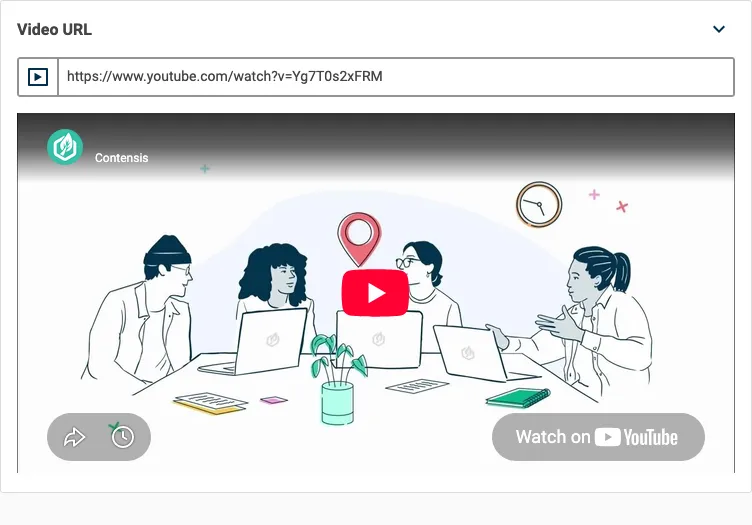
The URL field has a second editor option called Video URL. Choose it from the Field editor list instead of the default URL editor to show a live preview beneath a recognised video link.
The Video URL editor recognises links from YouTube, Vimeo, and Wistia, including shortened youtu.be links. It displays the preview as an embedded video player rather than a thumbnail.
For a valid URL from another provider, the field displays: 'This URL will be saved, but preview is only available for YouTube, Vimeo, and Wistia URLs.'
The value is still saved because the editor changes only the preview, not URL validation.