

Taxonomy field
Log in to add to favouritesPage last updated 13 August 2026
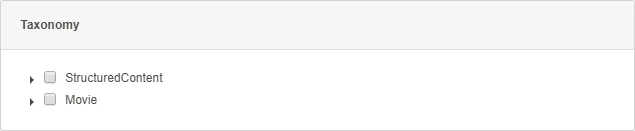
This editor allows you to bind a list of existing taxonomy nodes from the Taxonomy Manager to a field where one or more items are available for selection by you.
This is an ideal field editor for centrally managing static values – such as categories, languages, or country lists – that may be used elsewhere in your project.
The taxonomy editor supports single and multiple selections. You can also select a root taxonomy node to limit the available values.
Appearance

Settings
| Setting name | Summary |
|---|---|
| Name | A text label to identify the field in an entry. |
| Field ID | A sanitised name to be used by the API. |
| Allow multiple items to be selected | Allows you to select multiple items in the tree. |
| Read only | Prevents authors from editing the field in the entry editor. |
Supported validation
This field editor supports the following validation methods:
Properties
Common properties
| Property name | Summary |
|---|---|
| Content guidelines | Provides guidance about the content you should add to the field. |
| Field visibility | Determines if the field should be displayed in the collapsed state when opening the entry editor. |
Root node
Use the root node property to limit the values you can select. If you do not select a node, the editor shows all taxonomy values.