

Tags field
Log in to add to favouritesPage last updated 17 August 2026
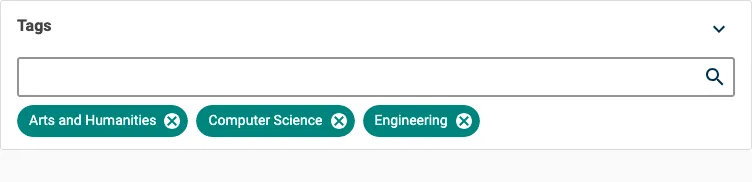
Use the Tags editor to apply one or more tags from a single tag group to an entry. Tags are managed centrally in Tag management, so the same tag remains consistent wherever you use it.
This article covers the Tags field editor as a content type builder option. For guidance on managing tags, see Create, update and translate tags and How to view, search and filter tags.
When you add a Tags field, choose the tag group it draws from. You can select existing tags in that group. If you have permission to create tags, you can also add a new tag without leaving the entry editor.
Appearance
Settings
| Setting name | Summary |
|---|---|
| Name | A text label to identify the field in an entry. |
| Field ID | A sanitised name to be used by the API. |
| Read only | Prevents authors from editing the field in the entry editor. |
Supported validation
This field editor supports the following validation method:
- Item count
To require at least one tag, set the minimum Item count to 1.
Properties
Common properties
| Property name | Summary |
|---|---|
| Field visibility | Determines if the field is shown collapsed when the entry editor loads. |
Tag group
Sets which tag group's tags are available in the picker. You can choose one tag group for each field. If your project has no tag groups, the Tags field does not appear in the toolbox until you create one.