

Site View node picker
Log in to add to favouritesPage last updated 17 August 2026
Use the Site View node picker to select a single node from the Site View tree. It can link an entry to a page or define where something applies in your site structure, such as a redirect target or scoped setting.
To add this editor, select Resource picker from the content type builder toolbox, then select Site View node from the Select a resource type window.
The Site View node picker is available on entry content types. It only appears as a resource choice if your project has a Site View licence.
Appearance
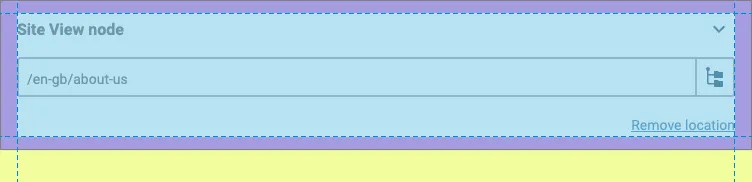
Settings
| Setting name | Summary |
|---|---|
| Name | A text label to identify the field in an entry. |
| Field ID | A sanitised name to be used by the API. |
| Default location | Sets the node used as the starting location when you create an entry from this content type. |
| Read only | Prevents authors from editing the field in the entry editor. |
The Site View node picker always selects one node, so it does not have a multiple selection setting.
Supported validation
This field editor supports the following validation methods:
- Required field
Properties
Common properties
| Property name | Summary |
|---|---|
| Field visibility | Determines if the field is shown collapsed when the entry editor loads. |
Site View scope
Use the Site View scope property to restrict which nodes you can choose. Select a root node, then choose how the restriction applies:
- Descendant: any node below the selected node
- Self and descendant: the selected node or any node below it
- Child: a direct child of the selected node
- Self and child: the selected node or one of its direct children
Leave the restriction off to choose any node in Site View.