

Form picker
Log in to add to favouritesPage last updated 17 August 2026
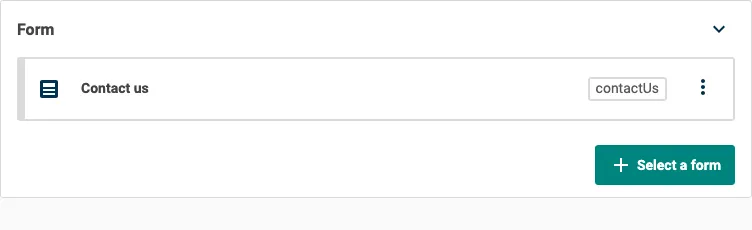
Use the Form picker to select a single Contensis form. Add it when an entry or component needs to reference a form, such as on a landing page with a selectable enquiry or registration form.
To add this editor, select Resource picker from the content type builder toolbox, then select Form from the Select a resource type window.
The Form picker is available on entry and component content types. It only appears as a resource choice if your project has a Forms licence.
Appearance
Settings
| Setting name | Summary |
|---|---|
| Name | A text label to identify the field in an entry. |
| Field ID | A sanitised name to be used by the API. |
| Read only | Prevents authors from editing the field in the entry editor. |
The Form picker always selects one form, so it does not have a multiple selection setting.
Supported validation
This field editor supports the following validation methods:
- Required field
Properties
Common properties
| Property name | Summary |
|---|---|
| Field visibility | Determines if the field is shown collapsed when the entry editor loads. |
Allowed forms
Use the Allowed forms property to restrict which forms you can choose. By default, all forms in the project are available. Use the search box to add forms to the allowed list.